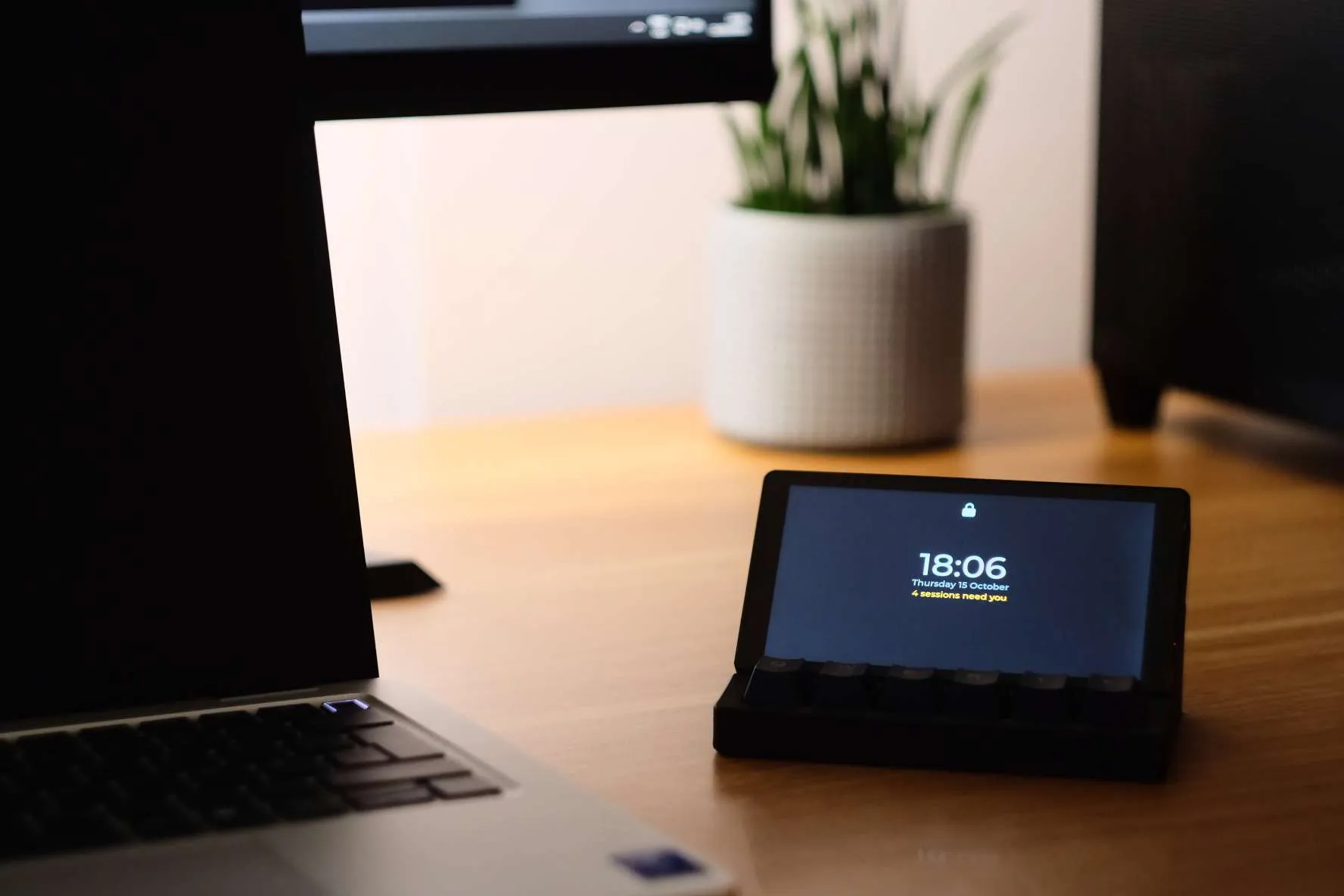
Argus Deck standing in its dock on a wooden desk beside a laptop. Its lock screen reads 18:06, Thursday 15 October, 4 sessions need you.

A desk board for AI coding agents

Your agent has been waiting on you for 20 minutes.

Argus Deck is a small touchscreen with a row of keys that sits beside your keyboard. It follows every Claude Code, Codex, OpenCode and Gemini CLI session on your PC and lights up the moment one needs a yes, an answer or a look. Tap to approve, then get back to what you were doing.

Works with
  • Claude Code
  • Codex
  • OpenCode
  • Gemini CLI

Try it

3 sessions need you.

This is the board's own screen layout, running in your browser. Agents keep asking while you play.

Keys 1–5 on your keyboard are the board's keys, or click them. Tap a row to pick it and again to open it. Hold 5 to talk.

  1. 1NextThe next thing that needs you.
  2. 2ApproveOne tap for everyday requests. Risky ones stay in the terminal.
  3. 3DeclineSay no. The agent hears it right away.
  4. 4OpenThe request, the agent's latest reply and its diff.
  5. 5TalkHold and speak. Your words become a prompt.
  6. 6StatusWhat's waiting and what's running.

Works with

Keep your terminals. The board plugs into each agent's own hooks.

Nothing wraps your shell and nothing reads your screen. Argus Deck listens to what each agent already reports, and a button only appears on the board once it has been tested live against that agent.

~/paymentsClaude Code
> claude
Editing src/webhooks/retry.ts
PermissionRequest hook
~/mobile-appCodex
> codex
Thinking
Codex app-server
~/api-gatewayOpenCode
> opencode --port 4096
Running 112 tests
Plugin + local server
~/web-appGemini CLI
> gemini
Thinking
Notification hooks
Bridgeruns on your PClocalhost:4710
encrypted · your Wi-Fi
What the board can do, agent by agent
AgentSee it workApprove or denyStop itSend a promptReview the diff
Claude CodeclaudeYesYesAt its next stepYesYes
CodexcodexYesYesYesYesYes
OpenCodeopencode --port 4096YesYesYesYesYes
Gemini CLIgeminiYesIn its terminalAt its next stepWhen the turn endsYes
  • Claude Code and Gemini CLI can't be interrupted mid-step, so Stop takes effect at their next tool call. A prompt sent while they work arrives when the turn ends; an idle Claude Code session takes it straight away.
  • Codex gets full control from version 0.162, which runs its own shared server. Older versions can be approved and denied from the board.
  • OpenCode needs --port for control. Started plainly, it still shows up on the board.
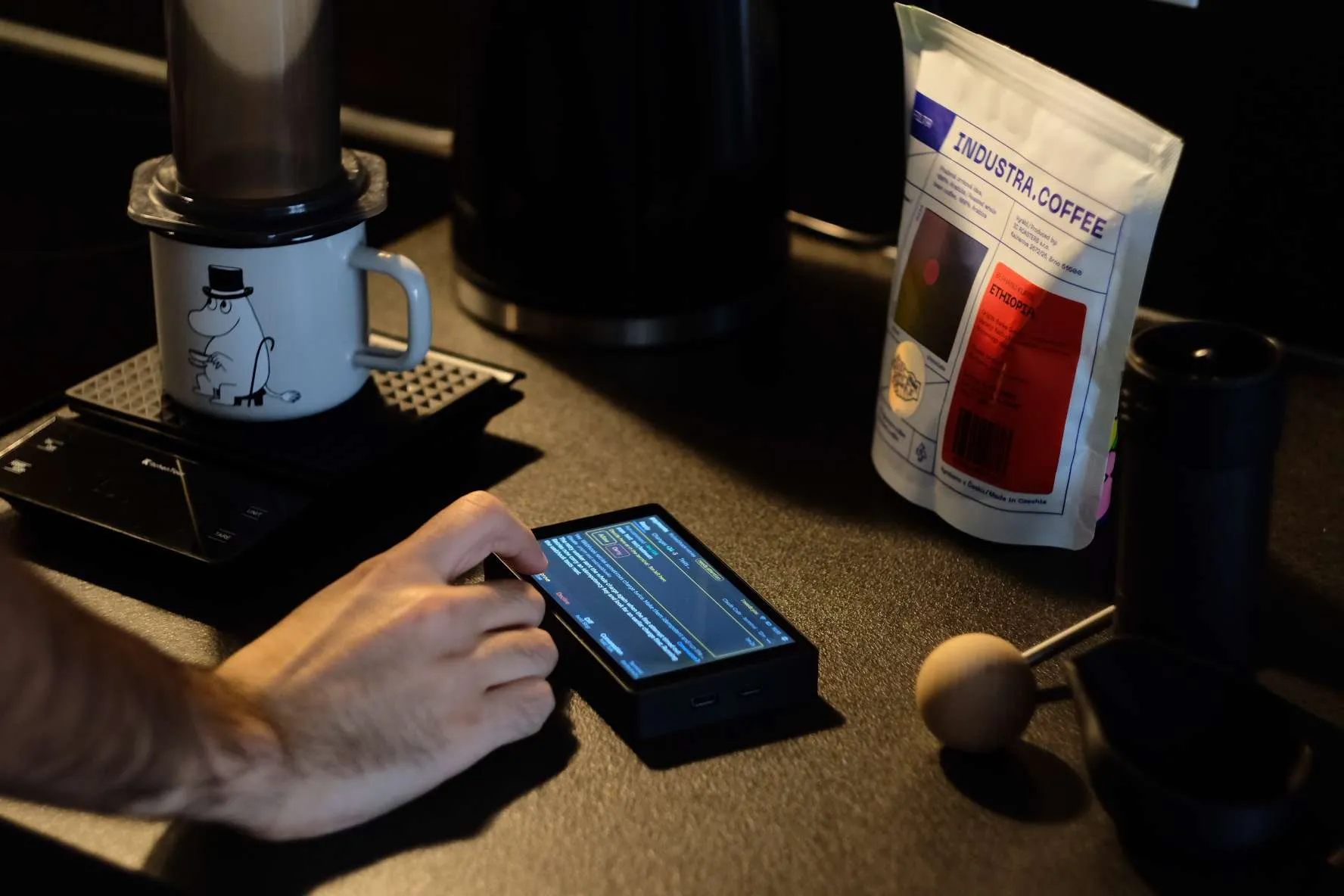
A hand tapping the board on a dark counter, next to a coffee brewer and a bag of beans. The screen shows a permission request.
Approving a test run between pours.

One tap for the everyday ones. The risky ones go back to the terminal.

Test runs, file edits and restarts take a single tap. A force push, a recursive delete, a download piped into a shell or a write to .env is high risk, so the board leaves it to the terminal, where you can read every character first. The same goes for a command too long to show in full.

Run command · medium risk2m 22s
docker compose restart
Allow onceDeny
Run command · high risk14s
git push --force origin main
Approve in the terminalDeny

See what this turn changed.

The diff is a key away, measured from the commit the turn started on, so work the agent already committed is still there to review. Page through it a screen at a time, 93 columns wide, or swipe to the next file.
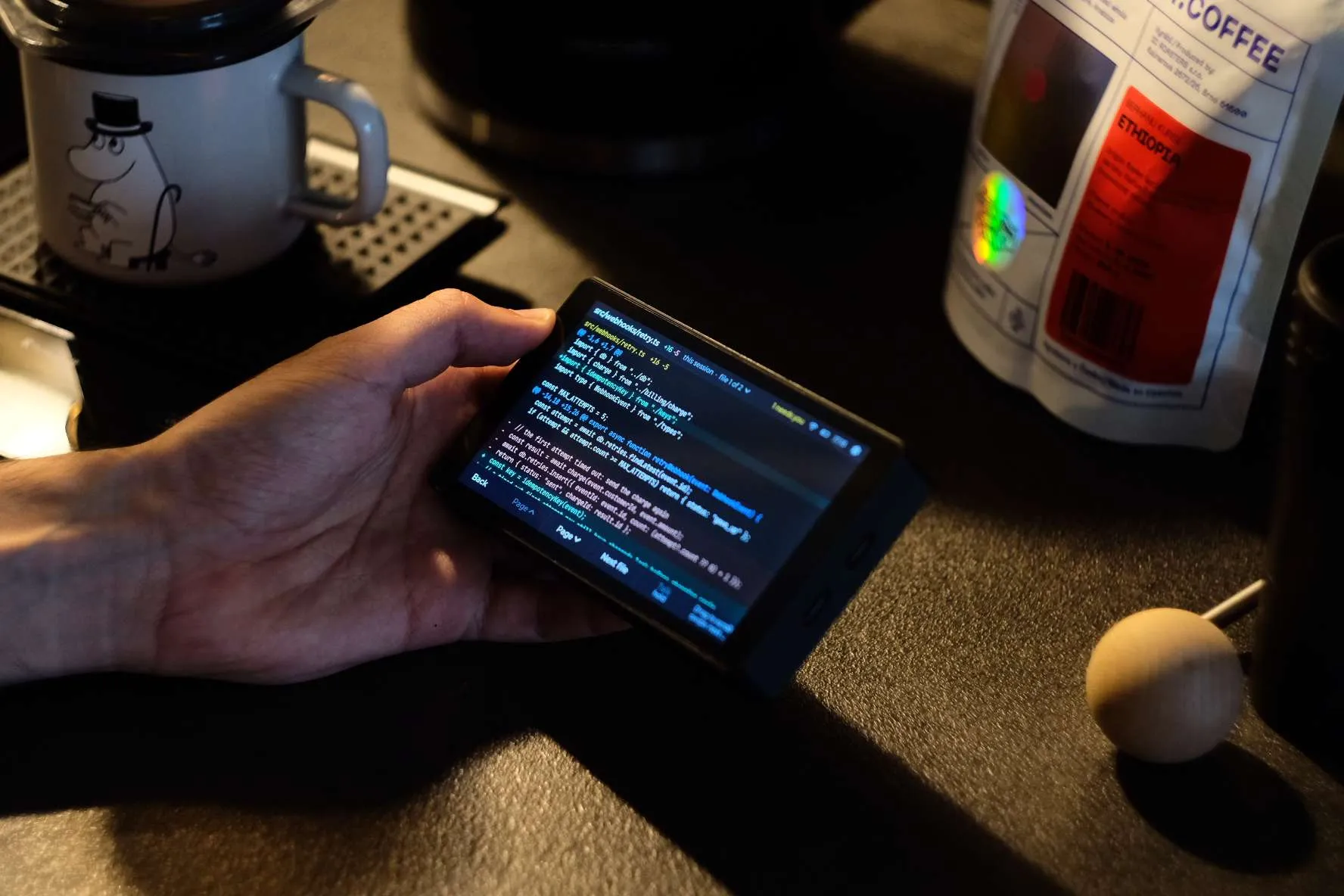
A hand holding the board, which shows a code diff of src/webhooks/retry.ts with added and removed lines.
src/webhooks/retry.ts, +16 −5, file 1 of 2.

Hold to talk.

Hold the Talk key and say what you want next. Your PC turns speech into text as you speak, with Whisper or Parakeet running locally, and the words land in a prompt field. Nothing reaches the agent until you press Send.

Also add a test for the 429 case.
Listening…to payments
Cancel
Send
Talkhold
Prompt
  • Answer its questions

    When Claude Code or OpenCode asks which way to go, the choices are on the board. Tap one.

  • Stop it

    Stop ends a turn that's heading the wrong way. Claude Code and Gemini CLI stop at their next step.

  • Start a session

    Pick a project, give it a first prompt and press the key. Claude Code opens in a new terminal on your PC.

  • Read it from across the room

    Locked, the board still says how many sessions need you. A glance is enough.

Setup

Install. Connect your agents. Pair once.

No config files to edit, and you keep starting your agents the way you always have.

  1. STEP 1

    Install it on your PC

    Argus Deck runs in the background on Windows and can start when you sign in.

  2. STEP 2

    Connect your agents

    One click per agent. Argus Deck adds its own hook or plugin and nothing else, and takes it out just as cleanly.

  3. STEP 3

    Pair the board

    Type the six-digit code your PC shows. The board remembers your PC's certificate, and the link between them is encrypted from then on.
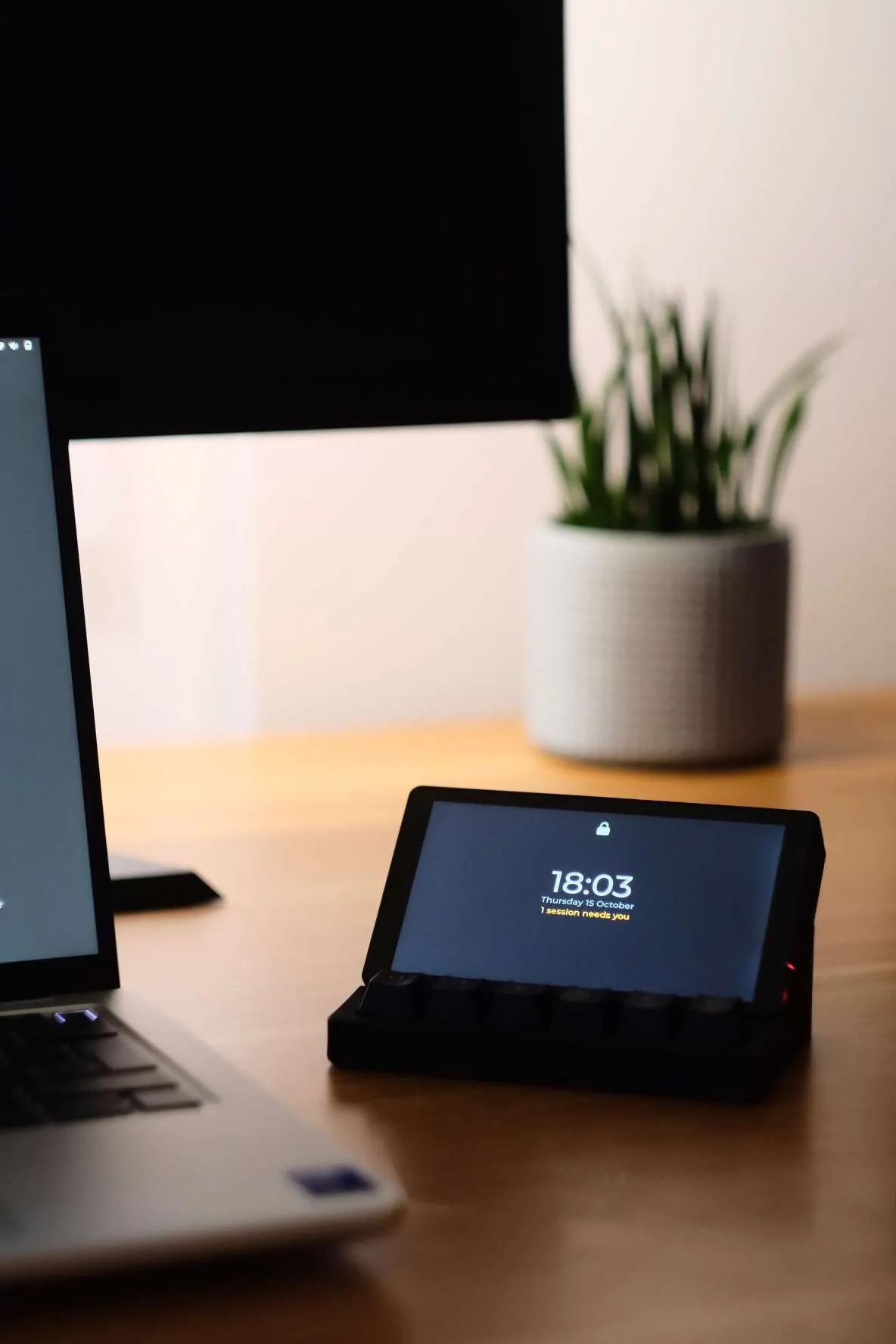
The board in its dock in warm evening light, a plant and a monitor behind it. The lock screen reads 18:03 and 1 session needs you.
18:03, one session waiting.

The board

A screen, six keys and a microphone.

Screen
5.5-inch touchscreen, 1280 × 720, landscapeCode pages are 93 columns by 18 lines
Keys
Six, one under each label at the bottom of the screen
Microphone
Push to talkSpeech is turned into text on your PC, never in the cloud
Inside
ESP32-P4, with an ESP32-C6 for Wi-Fi 6
Link
Your own Wi-Fi, encryptedThe board pins your PC's certificate when you pair it
Account
None neededThe board talks only to your PC, and your PC never streams its screen
Agents
Claude Code, Codex, OpenCode, Gemini CLI
Your PC
WindowsmacOS and Linux are planned

Want one on your desk?

Leave your email and we'll tell you when boards are ready to order.